


Bebefinn Town: Kids House Game
3.015.00 Reviews
App Specs
- Version
- 3.3
- Updated On
- License
- Free
- Downloads
- 500,000+
- Developer
- The Pinkfong Company
- Categories
- Educational
- Platform
- Android
Screenshots


 Analysis by AppCompare
When I want a young child to settle into a short stretch of independent play, I look for something inviting that doesn’t demand a long explanation from an adult. Bebefinn Town: Kids House Game is an educational game from The Pinkfong Company built around familiar home life. Its appeal is less about winning and more about letting children explore a recognizable setting, try small activities, and find out what happens when they interact with things around them.
A gentle first impression
The bright, colorful presentation makes the game approachable from the start, and the house setting gives children an immediate point of reference. A lamp, a fridge, or a piano is easier to understand than an abstract game object, so even a child who is still learning how to use a touchscreen can begin by tapping and observing. I like that the basic invitation is to explore rather than to master a complicated set of controls.
That gentle approach also sets expectations. This is not a fast-paced action game or a structured lesson with a clear academic progression. It is closer to a digital play space with learning activities woven into it. The distinction matters: caregivers looking for a focused alphabet or counting course may prefer a dedicated learning app, while families who want familiar, low-pressure play may find this a better fit.
Inside Bebefinn Town
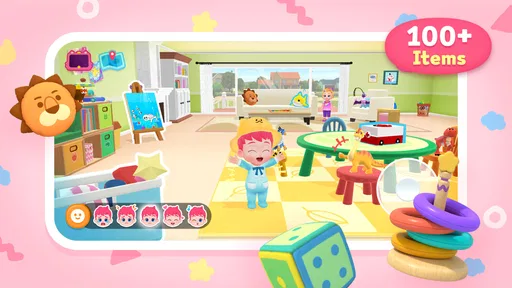
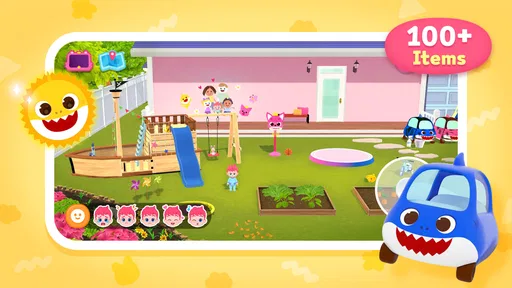
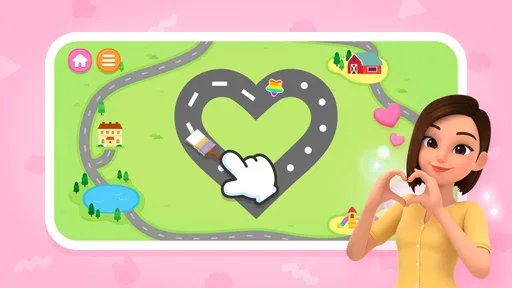
From the moment I opened Bebefinn Town: Kids House Game, I was greeted with bright, colorful graphics that are sure to captivate any child’s attention. The app is essentially a virtual dollhouse where kids can explore different rooms, interact with various items, and learn about everyday activities in a fun and engaging way.
How the world invites play
One of the first things I noticed was the sheer amount of interactive elements scattered throughout the different rooms. It’s like a treasure trove for curious little minds! Kids can tap on objects to see what they do, whether it’s turning on a lamp, opening the fridge, or playing the piano. Each interaction is designed to be intuitive and educational, encouraging kids to explore further.
The everyday setting does useful work here: it gives a child a reason to connect an action on screen with something they may have seen at home. A parent can turn a tap on a familiar object into a quick conversation—what the object is for, when the family uses it, or what a child might do next. That makes the play more personal than simply moving through a sequence of colorful screens.
A small but practical way to get more from the room-based setup is to let a child choose the next object rather than directing every tap. Then, if the child loses interest, offer one specific prompt tied to the scene instead of taking over. This keeps the activity child-led while giving a younger player a nudge when the range of choices feels overwhelming. It is also a useful way for an adult to tell whether the child is enjoying free exploration or would rather have a clearer task.
Worth Reading Before You Choose

Flipboard Shows What News Apps Must Do Beyond the Feed

Switching to Android Auto Means Rethinking Your Driving Routine

Google Calendar Makes a Crowded Week Easier to Manage

Ludo King Makes the Most of the Minutes Between Plans

Baby Panda World Brings Quick Play to Modern Phones, but Its Game Library Feels Busy

ESPN’s Live Game View Makes Following Close Games Easier
Learning that stays part of the play
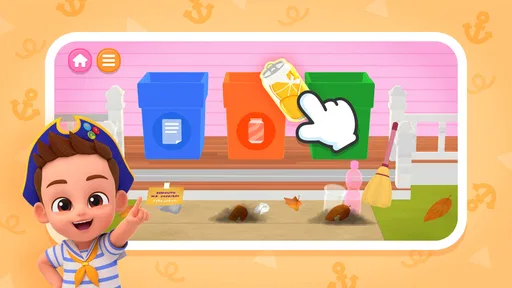
What really sets Bebefinn Town apart is its educational value. The app subtly incorporates learning into play, which is a huge win in my book. As your child navigates through the house, they’ll encounter mini-games and challenges that help develop skills like problem-solving, counting, and even basic hygiene practices. Plus, the app supports multiple languages, which is fantastic for bilingual families or anyone looking to introduce their child to a new language.
I’d treat those activities as conversation starters, not as a substitute for teaching or practice away from the screen. If a child encounters a hygiene-related activity, for example, a caregiver can connect it to the next real routine at home. That link between pretend practice and daily life is where this kind of game can be most useful. For counting, it can help to ask the child to say what they notice aloud, rather than tapping through quickly; that turns a brief interaction into a little shared exercise.
The language support may also suit households where adults and children use more than one language, but it is worth setting a simple goal first. A parent might choose one familiar phrase or object name to talk about during a play session instead of expecting the game alone to build language skills. Children vary in how much guidance they want, so a relaxed approach is usually better than turning each screen into a quiz.
Controls, guidance, and pacing
The developers have done a stellar job making the app user-friendly. The controls are simple enough for even the youngest users to master, and there’s a handy hint system to guide them if they get stuck. The layout is clean and easy to navigate, so kids can move from room to room without any fuss. It’s clear that a lot of thought has gone into making the experience as seamless as possible.
That simplicity is a strength for short sessions, though it may not hold the attention of children who want increasingly difficult goals or a strong sense of achievement. The activity style appears better suited to browsing and trying things than to a demanding level-based challenge. I’d choose it for a child who enjoys pretend play and exploration, but not as the main game for one who is already asking for complex puzzles, timed tasks, or competitive progression.
For a first session, I’d sit nearby and let the child discover the controls without explaining every possibility. If they get stuck, a hint can help them continue without an adult having to steer the whole experience. This is a useful middle ground: the child gets some independence, while an adult can step in when frustration begins. It also helps caregivers see which kinds of interactions hold a particular child’s attention.
Sound and the mood of the house
The game’s appeal depends on the way its colorful home setting and interactive objects make ordinary activities feel inviting. The piano interaction, in particular, gives a child a chance to experiment with sound as part of exploring the room, rather than treating the whole experience as a worksheet. That helps the game feel like play first, with learning opportunities folded into the surroundings.
In a household where a child is sensitive to stimulation, I’d try a short session together before relying on it as a quiet-time activity. Bright visuals and interactive sound can be engaging, but what feels lively to one child may be distracting to another. A useful approach is to keep the first visit brief and notice whether the child calmly explores, rushes from one object to the next, or becomes overstimulated. That observation tells you more than the general label “educational” does.
Practical use at home and on the go
For an everyday scenario, imagine waiting for a meal to finish or needing a few minutes to get a bag ready. A child can explore a room and try familiar objects while an adult stays close enough to help if needed. Because the game is designed around simple interactions, it can work as a short activity rather than requiring a long setup. I’d still treat screen play as one option among drawing, books, and ordinary toys, rather than expecting any app to occupy a child indefinitely.
The listing describes the game as usable without an internet connection, which makes it potentially handy for travel. I would open it at home before a journey, check that it is ready to play, and make sure the child knows how to start an activity. That is a better plan than discovering the interface for the first time in a car or airport queue. Families should also consider whether a shared phone or tablet is practical for the child’s age and whether an adult can supervise the session.
The game is free to download, with in-app purchases ranging from $8.99 to $109.99 per item. I’d make the purchase settings part of the setup conversation with any caregiver who may hand the device to a child. A free starting point can be convenient, but the presence of paid items means adults should check what is available before leaving a child to play unsupervised. This is especially relevant on a device used by several family members, where purchase controls may already be configured for other apps.
Safety, access, and who it suits
Safety is a top priority when it comes to kids’ apps, and Bebefinn Town doesn’t disappoint. The app is completely ad-free, which means no unwanted interruptions or accidental clicks. Parents can rest easy knowing that their child is playing in a safe environment. Plus, the app doesn’t require an internet connection, making it perfect for car rides or flights.
It is rated for Everyone, and the current version is 1.7, with Android support starting at version 8.0. The game has an average rating of 3.7 from 86 ratings and has passed 100K installs. I read those figures as a sign that families have tried it, not as a guarantee that every child will respond to it in the same way. Age suitability is only one part of the decision: a child’s reading level, patience, and comfort with touch controls still matter.
I’d recommend it most to preschool-age children who enjoy pretend homes, tapping objects, and repeating familiar activities, especially when a parent wants an easy prompt for conversation. It may be less satisfying for older children seeking longer challenges, or for caregivers who want a carefully sequenced curriculum with measurable lessons. Compared with the usual alternatives, such as flashcard-style learning games, Bebefinn Town puts more emphasis on exploring a setting; compared with open-ended digital dollhouses, its educational activities give play a little more direction. Neither approach is automatically better—the right choice depends on whether a child learns best through familiar scenes or through explicit practice.
Replay value and sensible expectations
The replayability factor of Bebefinn Town is one of its biggest strengths. With so many rooms to explore and items to interact with, children can spend hours discovering new things. The app is regularly updated with new content, ensuring that there’s always something fresh for kids to enjoy. It’s a fantastic way to keep little ones engaged while giving them a sense of familiarity and routine.
In practice, I’d think of replay value as the child returning to familiar activities and finding their own ways to explore, rather than assuming every session will feel new. A child who enjoys repetition may be content to revisit the same objects; one who wants fresh goals may move on quickly. That difference is normal, and it is why I wouldn’t make the game the only activity available. Alternating it with an offline pretend-play routine—such as naming household objects together—can help carry the theme into the day without stretching screen time.
One further trade-off is that an open, familiar world gives children freedom but can leave them without a clear endpoint. If your child asks, “What do I do now?”, try offering a small mission, such as finding something to interact with in another room, then let them decide how to continue. If they would rather finish a defined set of questions or earn a clear achievement, a more structured educational game will probably suit them better. That is not a flaw so much as a difference in what the child is being asked to enjoy.
My take on the atmosphere
All in all, Bebefinn Town: Kids House Game is a delightful blend of fun and learning. It’s a must-have for parents looking to provide their children with a safe, educational app that they’ll actually enjoy. So why not give it a go? Head over to the app store, download Bebefinn Town, and let your child’s adventure begin!
My recommendation is more measured: I’d try it with a child who is drawn to home settings and gentle discovery, then judge by how they use it after the novelty wears off. The art direction, household setting, and simple interactions create a coherent mood, while the educational activities add purpose without making the experience feel like a lesson plan. The main caveats are the possible pull of in-app purchases and the fact that exploratory play will not satisfy every child. For the right young player, though, it can be a pleasant shared activity and a useful pocket-sized prompt for talking about everyday life.
Pros
- Engaging educational activities for kids.
- Colorful graphics capture children's attention.
- Simple interface easy for young users.
- Variety of mini-games keeps it interesting.
- Parental controls for safe usage.
Cons
- In-app purchases can add up quickly.
- Limited content without premium version.
- Requires internet for some features.
- Ads may interrupt gameplay.
- Updates can be slow to release.
FAQs for Bebefinn Town: Kids House Game
What is Bebefinn Town: Kids House Game about?
Bebefinn Town: Kids House Game is an engaging and educational app designed for young children. It offers a virtual world where kids can explore various rooms in a house, interact with different characters, and engage in fun mini-games. The app aims to stimulate creativity and learning through interactive play.
Is Bebefinn Town: Kids House Game safe for children?
Yes, Bebefinn Town: Kids House Game is specifically designed with safety in mind. It features a child-friendly interface, no in-app purchases, and no third-party advertisements. Parents can rest assured that their children are engaging with content that is both entertaining and secure.
What age group is Bebefinn Town: Kids House Game suitable for?
Bebefinn Town: Kids House Game is ideal for children aged 3 to 8 years old. The game’s simple controls, vibrant graphics, and engaging activities are tailored to captivate young minds and aid in early development. It’s a great tool for both learning and entertainment.
Can Bebefinn Town: Kids House Game be played offline?
Yes, Bebefinn Town: Kids House Game can be enjoyed without an internet connection. Once downloaded, all the features and mini-games are accessible offline, making it perfect for long car rides or situations where Wi-Fi isn’t available.
Are there educational benefits to playing Bebefinn Town: Kids House Game?
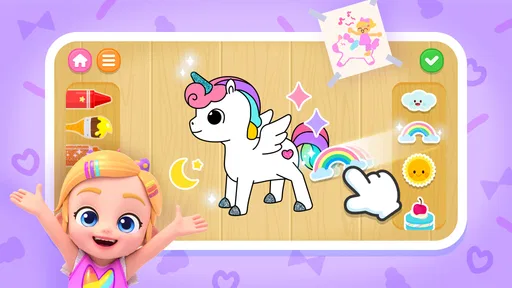
Absolutely! Bebefinn Town: Kids House Game is designed to enhance cognitive skills, promote problem-solving, and encourage creativity. The app includes puzzles, memory games, and role-playing scenarios that help develop critical thinking and social skills in a fun, interactive environment.


